Vehicle TPMS look-up

Outils TPMS

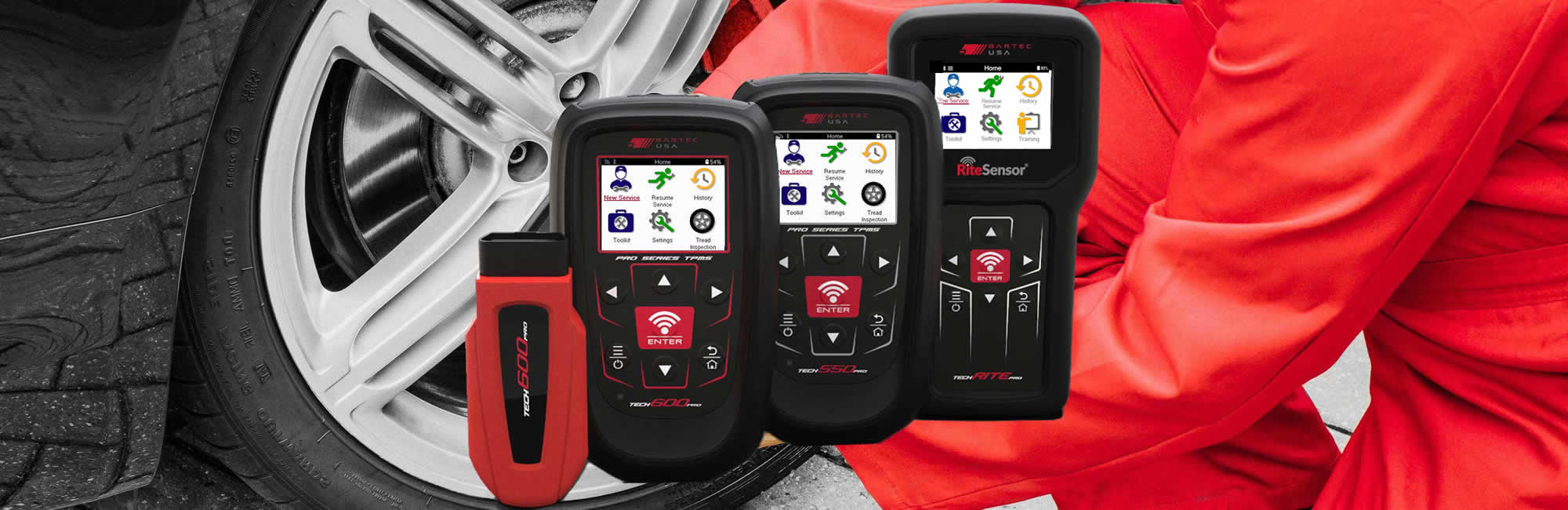
Les outils TPMS de Bartec sont utilisés par les plus grandes entreprises de services de roues et de pneus au monde. Chez Bartec TPMS, notre objectif est de continuer à proposer des technologies et des innovations inédites sur le marché, tout en aidant nos clients à maîtriser parfaitement leurs roues ! Découvrez la nouvelle génération de systèmes TPMS : le Tech600Pro !
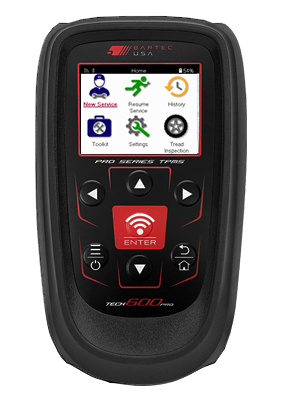
Le Tech600Pro est la dernière innovation de Bartec en matière d'outils TPMS! High-Tech rencontre abordable dans cette solution TPMS rapide et précise!

  • Connexion de véhicule sans fil
  • Écran couleur haute résolution
  • Mise à jour Wi-Fi

Le Tech550Pro est la dernière évolution de l'outil TPMS de Bartec !

  • Fonctionne avec tous les capteurs TPMS OE connus
  • Effectue des réapprentissages stationnaires et OBD
  • Le rapport d'audit TPMS complet indique à votre client ce qu'il doit savoir

La dernière innovation TPMS de Bartec est le TechRITEPro !

  • Écran couleur haute résolution de 2,8 pouces
  • Batterie LiPo 2,3 Ah
  • Dimensions : 8" de haut x 4" de large x 1,5" de profondeur
Pack Tech600Pro/Rite-Sensor®

Un outil de style combiné est la clé Pas n'importe quel outil, mais un outil capable de diagnostiquer, de réapprendre et d'effacer les DTC. Il est impossible de bien entretenir le TPMS et de garder les véhicules OPÉRATIONNELS sans un outil TPMS de style combiné!

  • Fonctionne avec tous les capteurs OE TPMS connus
  • Fournit un test avant le diagnostic tactile
  • Un rapport d'audit TPMS complet indique à votre client ce qu'il doit savoir
Les meilleurs outils, logiciels, capteurs et assistance TPMS disponibles pour les États-Unis et le Canada. Bartec TPMS est à la pointe du service et de l'innovation TPMS.

  • Mises à jour logicielles pour la marque, le modèle et l'année (MMY)
  • Mises à jour de l'interface utilisateur pour les outils Bartec TPMS
  • Présenter les données TPMS à vos clients
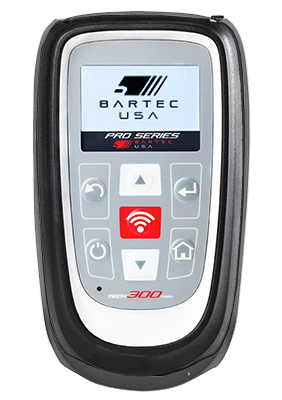
Informations d'assistance continue pour les outils TPMS qui ne sont plus disponibles. Nous avons vendu des milliers d'outils TPMS au fil des ans.

  • Prise en charge de l'outil TPMS Tech300Pro
  • Prise en charge de l'outil TPMS Tech500
  • Prise en charge de l'outil TPMS Tech400SD

Bartec est un leader aux États-Unis et au Canada, avec un vaste réseau de distribution couvrant les 50 États et vous assurant ainsi une formation TPMS à proximité.

  • Assistance aux constructeurs et assistance sur le terrain pour les outils TPMS
  • En moyenne, nous avons 4 concessionnaires agréés dans chaque État.
  • Tutoriels en ligne et fourniture de formations et d'assistance aux utilisateurs
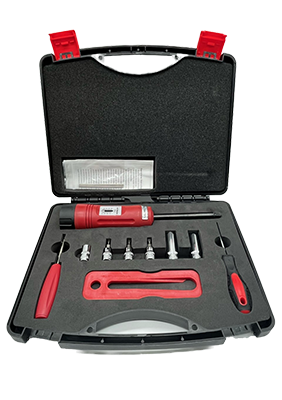
Une large gamme d'accessoires TPMS pour rendre votre atelier de pneus et votre processus de satisfaction client les meilleurs disponibles.

  • Kit d'outils mécaniques TPMS

Le service certifié de pneus automobiles (ATS) est conçu pour les techniciens professionnels en pneus de tourisme et de camions légers ayant des sujets.

  • Les TPMS réapprennent les procédures sur les véhicules nationaux et importés
  • 15 modules qui composent le programme Certified Automotive Tire Service (ATS)
  • Certifier les instructeurs et techniciens ATS dans le domaine
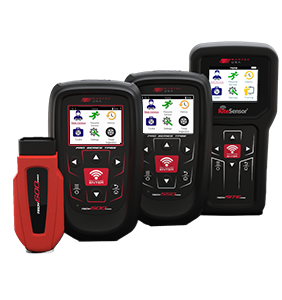
Une comparaison des fonctionnalités du TECH600Pro, TECH450Pro et TECHRITEPro.

Frequently Asked Outils TPMS Questions

A TPMS tool is a diagnostic and service device used by automotive technicians to inspect, diagnose and service a vehicle's Tire Pressure Monitoring System (TPMS).

Depending on the tool and vehicle, a TPMS tool can activate and read TPMS sensors, display sensor data, diagnose TPMS faults, program compatible replacement sensors and assist with vehicle relearn procedures.

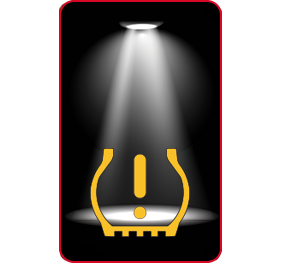
Yes. If the TPMS warning light is illuminated, first check that all tires are inflated to the vehicle manufacturer's recommended pressures. If the warning remains, a compatible TPMS tool can be used to test the sensors and help identify the cause of the fault.

Depending on the vehicle and tool, diagnosis may include activating and reading each TPMS sensor and communicating with the vehicle through the On-Board Diagnostics (OBD-II) port to read relevant Diagnostic Trouble Codes (DTCs).

The required procedure depends on the vehicle and the cause of the warning light. After correcting tire pressures or replacing a faulty TPMS sensor, the vehicle may require a TPMS relearn so that the system recognizes the correct sensor IDs and, where applicable, wheel positions.

Depending on the vehicle, this may involve a stationary relearn, an OBD-II relearn or an auto learn procedure. Once the fault has been corrected and the appropriate relearn procedure has been completed successfully, the TPMS warning light should turn off.

After selecting the vehicle's make, model and year, a compatible TPMS tool can transmit the appropriate Low Frequency (LF) activation signal to the TPMS sensor. This wakes the sensor and prompts it to transmit a Radio Frequency (RF) signal containing its sensor data.

The TPMS tool receives and decodes this signal, allowing the technician to check the sensor and the information it is transmitting.

A TPMS tool uses a Radio Frequency (RF) receiver to receive the signal transmitted by a TPMS sensor. TPMS sensors used in North America commonly transmit at 315 MHz or 433 MHz/433.92 MHz.

The tool decodes the signal and, depending on the sensor, can display information such as the sensor ID, tire pressure, temperature and battery status. This information helps the technician evaluate the condition and operation of the TPMS sensor.

Depending on the vehicle and service procedure, a TPMS tool may communicate with the vehicle through its On-Board Diagnostics (OBD-II) port. This connection can be made using a compatible cable or, with supported tools, a wireless vehicle communication interface.

OBD-II communication can be used for functions such as reading diagnostic information, completing certain TPMS relearns, writing sensor IDs to the vehicle and clearing applicable Diagnostic Trouble Codes (DTCs).

Not every TPMS service procedure requires OBD-II communication, so technicians should follow the correct procedure for the specific vehicle make, model and year.

After a faulty or damaged TPMS sensor has been replaced, the vehicle may need to learn the new sensor ID and, where applicable, its wheel position.

The required procedure varies by vehicle. Direct TPMS systems generally use one of three relearn methods: stationary relearn, OBD-II relearn or auto learn. A compatible TPMS tool can guide the technician through the correct procedure for the selected vehicle.

When choosing a professional TPMS tool, consider features such as:

  • Broad OE TPMS sensor and vehicle coverage
  • Support for compatible programmable replacement TPMS sensors
  • Support for stationary, OBD-II and auto learn procedures
  • Regular vehicle and sensor coverage updates
  • Convenient software and coverage updates
  • Clear diagnostic information and guided service procedures
  • Durable construction suitable for a tire shop or automotive workshop
  • OBD-II communication where required
  • Service reporting and data transfer capabilities
  • Access to reliable technical support

Depending on your requirements, you may also want features such as wireless OBD-II communication, Wi-Fi connectivity, wireless charging and Bluetooth Low Energy (BLE) support. Available features vary by TPMS tool.

Not necessarily. A professional TPMS tool with broad vehicle and sensor coverage can service many different vehicle makes and models.

However, coverage varies between TPMS tools, vehicles and replacement sensors. Before carrying out a repair, technicians should confirm that their tool supports the specific vehicle make, model and year, as well as the required sensor and service procedure.

First, check that your TPMS tool has the latest software and vehicle coverage updates installed. New vehicles, TPMS sensors and service procedures are introduced regularly, so keeping the tool up to date is important.

If you are using a programmable replacement TPMS sensor, confirm that the sensor supports the vehicle's make, model and year and that your TPMS tool supports programming that sensor.

If the vehicle and sensor are supported and the problem continues, follow the tool's diagnostic procedure or contact technical support for assistance.

–

The SEMA Show is the premier trade show geared to help small businesses thrive and succeed. The trade-only event enables automotive specialty equipment manufacturers to display alongside automotive manufacturers to debut new, innovative products, and connect with industry buyers from all over the world.