Bartec USA announces their latest tool update R65.0/R5.0
December 9, 2022
Bartec USA, North America’s Trusted Brand in TPMS Solutions, announces the release of their latest TPMS tool software update. According to Bartec’s Product Manager Mathew Hitchcock, “This is our third update for 2022 and as always, adds significant coverage for the Rite-Sensor®, adds new model year tool coverage and increases our already industry leading OBDII capabilities.
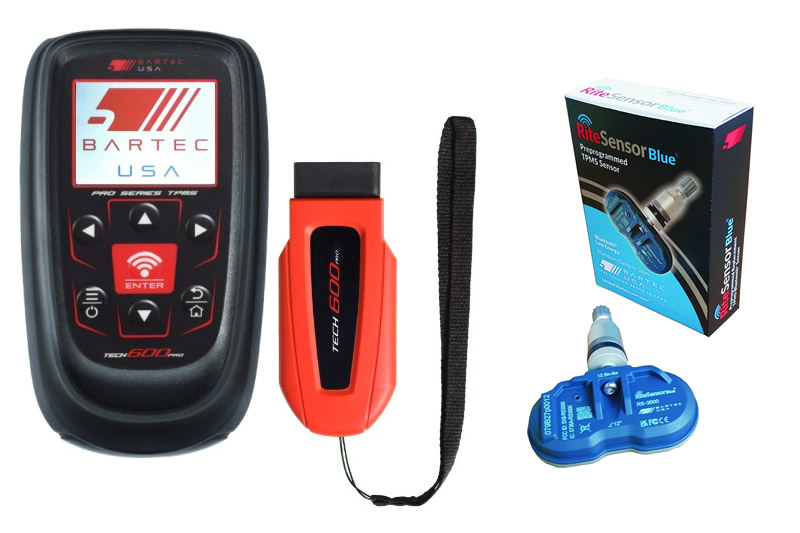
As with every tool software release, Bartec is continuously developing aftermarket sensor coverage, while improving tool features and functions. This release will enable diagnostic functionality for Tesla Model cars and adds the brand new TPMS Replacement Sensor Rite-Sensor Blue®.
According to Bartec, Tool software development requires collating huge amounts of data from industry partners, developing the necessary code based on that data, then thoroughly testing, and vetting the solution before releasing it to customers. Bartec is an OE based provider and understands the critical part that testing plays in developing and releasing software.
Release 65.0 is for older TPMS Tools Tech400Pro, Tech300Pro and Tech500. Release 5.0 covers the TechRITEPro, Tech450Pro, Tech550Pro and Tech600Pro. Both versions contain additional OBDII coverage as well as additional model year 2023 coverage. Bartec tools routinely offer the most TPMS Relearns through the OBDII port, and with this update, they’ve added much more.
To update your Bartec TPMS Tools, first make sure your software access is current. The easiest way to do that is download Bartec’s free application, TPMS Desktop. The TPMS Desktop is a tool management utility that helps with tool updating, vehicle look up and coverage as well as inspection report retrieval and printing. If you are an existing TPMS Desktop user, it will update automatically. If you don’t yet have TPMS Desktop, visit Bartec USA’s website at https://www.bartecusa.com/tpms-desktop and click on the link to download.
A complete Technical Service Bulletin describing all the contents of software update 65.0/5.0 is now available for download at https://www.bartecusa.com/ or from the TPMS Desktop. To download and install this update, you must have a current software subscription. Check your account at Register Bartec Tool and call your Bartec distributor to purchase an update certificate.
For more information, please call Bartec USA at (855)877-9732 or visit our website at www.bartecusa.com
#OwnTheWheelWell #MastersOfTPMS #RiteSync #RiteSensorBlue
Other Articles
Bartec TPMS To Highlight TPMS Diagnostics At 2026 SEMA Show
October 6, 2026
New TPMS Tool Update Technology At The SEMA Show 2026
October 5, 2026
One Month To Go Until The SEMA Show 2026
October 3, 2026
Bartec TPMS Heads to SEMA Show 2026
October 2, 2026
Take Tire Inspections To The Next Level With The Tread-Rite Tool
September 24, 2026
Three Months Until The SEMA Show 2026 In Las Vegas
August 3, 2026
We Are Excited To Welcome Lindsay Stead To Team Bartec
July 23, 2026
Preventing TPMS Sensor Damage
July 21, 2026
TPMS Promotions for Q3 & Q4 2026
July 16, 2026
The Process For TPMS Desktop Installation
July 15, 2026
 Bartec USA LLC