How To Perform A Tech600Pro TPMS Tool Wireless VCI Setup
April 10, 2026
How to pair the wireless VCI (Vehicle Communication Interface) to a Bartec TPMS Tech600Pro tool using Bluetooth™.
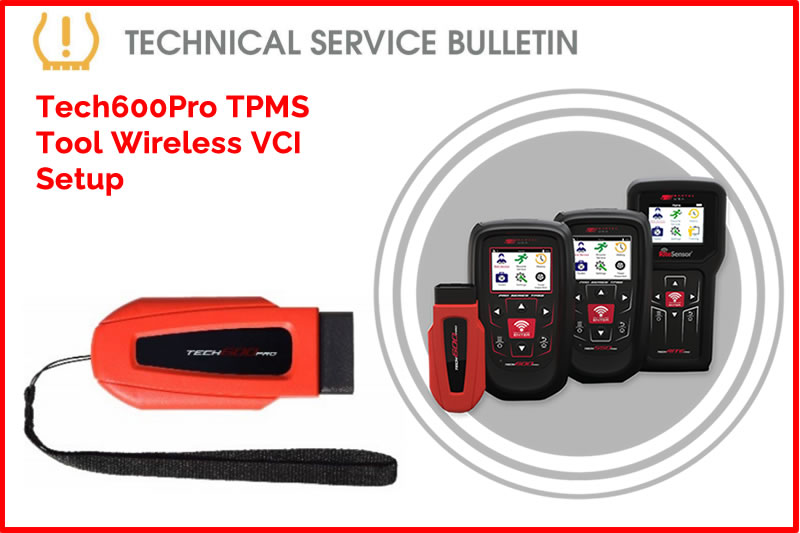
Description:
- Plug the wireless VCI into the OBD-II port of the vehicle.
- Ensure vehicle ignition is powered on (engine OFF)
- The LED light on the VCI should be illuminated
- From the home screen, select Settings.
- Select Connections.
- Select Wireless VCI: Add device.
- The tool will begin to search for available devices via Bluetooth.
- Note: If there are no devices found or the light on the VCI is not illuminated, make sure that the vehicle is in the RUN position (engine OFF) and that the VCI is securely in the OBD-II port.
- Select the available VCI device to successfully pair with tool.
Need help getting a Certificate Bundle? E-mail our sales team at sales@bartecusa.com, or call [855]877-9732. Need help updating your Bartec TPMS Tool? E-mail our Tech Support Team at help@bartecusa.com, or call [866]407-8767.
#VCISetUp #Bluetooth #Tech600Pro #Bartec365 #TPMS #TPMSTools #TPMSSensors #RiteSensor #TPMSSoftware #TPMSSupport #BartecTPMS #TheTrustedBrand
Other Articles
Bartec TPMS To Highlight TPMS Diagnostics At 2026 SEMA Show
October 6, 2026
New TPMS Tool Update Technology At The SEMA Show 2026
October 5, 2026
One Month To Go Until The SEMA Show 2026
October 3, 2026
Bartec TPMS Heads to SEMA Show 2026
October 2, 2026
Take Tire Inspections To The Next Level With The Tread-Rite Tool
September 24, 2026
Three Months Until The SEMA Show 2026 In Las Vegas
August 3, 2026
We Are Excited To Welcome Lindsay Stead To Team Bartec
July 23, 2026
Preventing TPMS Sensor Damage
July 21, 2026
TPMS Promotions for Q3 & Q4 2026
July 16, 2026
The Process For TPMS Desktop Installation
July 15, 2026
 Bartec USA LLC