Manage Seasonal TPMS Setups With Confidence On Lexus & Select Toyota Vehicles
May 28, 2026
Today's Tech Tip will explain how these vehicles can store two sets of TPMS IDs in the ECU and use a driver selectable Main/Second Switch to choose between them, typically for winter and summer wheel sets.
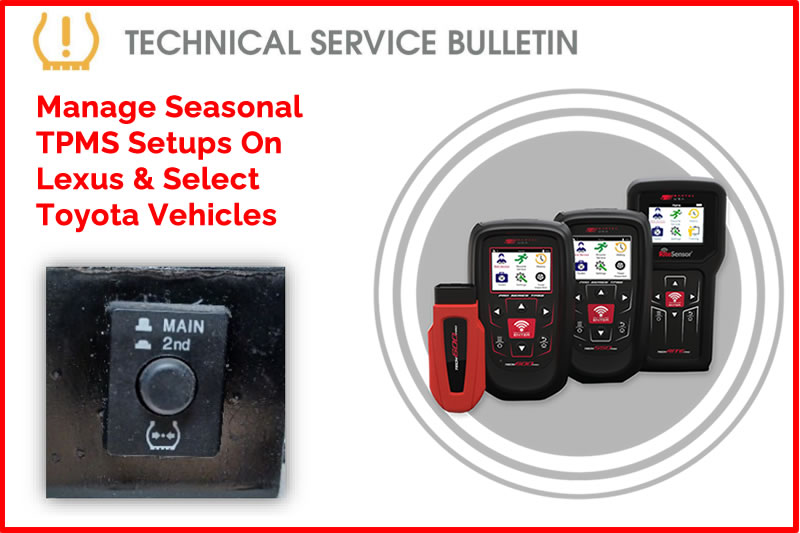
Lexus and some Toyota vehicles have the ability to store two sets of TPMS IDs in the ECU. There is a user selectable Main/2nd Switch that allows the driver to select which set of stored IDs they want to use. Winter/Summer typically. The vehicle will display a fault if the switch is not in the same position as the currently mounted/monitored wheel set.
Process:
- On your Bartec USA tool, Select the vehicle.
- Find the location of the Main/2nd switch. Possible Locations include:
- Inside the glovebox near the latch.
- Inside the glovebox at top in a semi deep cavity.
- Behind the glove box against the firewall.
- Driver side left or right knee bolster.
- Once you have verified the location of the Main/2nd switch (not the RESET switch).
- Select which set you want to use or write to, Main or 2nd.
- Select “Relearn: OBD Assisted”.
- When the tool prompts, select the same switch position as you choose on the car.
- Complete the Relearn Procedure as normal, activating the sensors at the wheels, LF,RF,RR,LR
- Connect tool, write IDs.
- Re-activate the sensors or drive vehicle after the tool completes the write.
- Verify the TPMS lamp is OFF.
Note:
Bartec USA tools will always write to the MAIN ECU set, if the switch or tool is set incorrectly or do not match. If the low tire / malfunction lamp is on or flashing, after the process. Reverify sensors are correct for vehicle, and vehicle ECU and tool switch selections are in the same position. Contact Bartec USA® Technical Support at (866) 407-8767, for more assistance.
Find the Technical Service Bulletin at https://www.bartecusa.com/tpms-technical-service-bulletins.
Need help getting a Certificate Bundle? E-mail our sales team at sales@bartecusa.com, or call [855]877-9732. Need help updating your Bartec TPMS Tool? E-mail our Tech Support Team at help@bartecusa.com, or call [866]407-8767.
#ToyotaTPMS #LexusTPMS #Tech600Pro #Bartec365 #TPMS #TPMSTools #TPMSSensors #RiteSensor #TPMSSoftware #TPMSSupport #BartecTPMS #TheTrustedBrand
Other Articles
Day 2 Of SEMA 2026 & There Is Plenty More To Discover
November 4, 2026
Bartec TPMS Celebrates Prestigious New Product Award Win At SEMA Show 2026
November 4, 2026
Win Big At SEMA 2026 With Bartec TPMS
November 4, 2026
Day 1 Of SEMA 2026 What An Amazing Start
November 3, 2026
We Are Celebrating Oktoberfest at SEMA 2026
November 3, 2026
One More Day Until The Sema Show 2026
November 2, 2026
Bartec TPMS To Demonstrate TPMS Technologies SEMA Show 2026
November 2, 2026
As Bartec TPMS Gears Up For SEMA 2026 We Look Back At SEMA 2025
November 1, 2026
Meet the Bartec TPMS team at SEMA 2026
October 31, 2026
Visit Bartec TPMS At Sema 2026 & Discover The Sens-Rite® TPMS Sensor
October 27, 2026
 Bartec USA LLC