Preventing TPMS Sensor Damage
July 21, 2026
For any wheel related service (mount, balance, new tires, new wheels, getting the TPMS serviced) there are situations that can/will cause damage to the TPMS sensor.
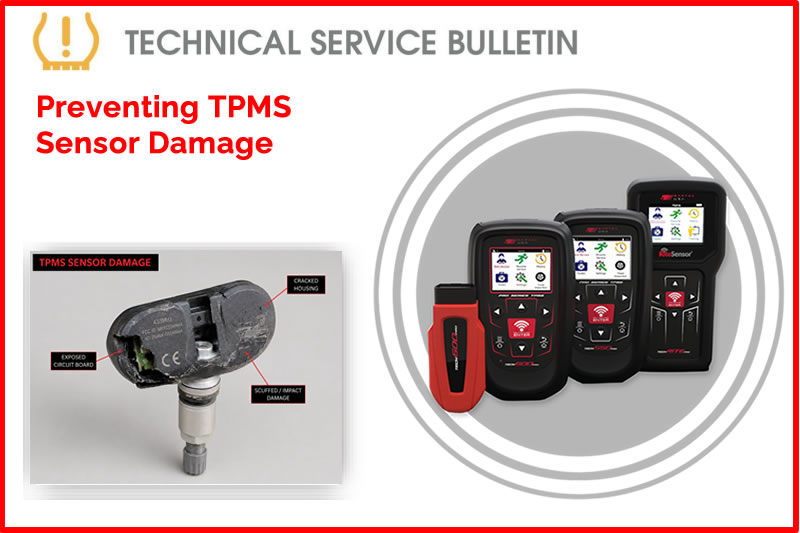
Process:
Dismounting the Wheel/Tire:
- Remove the Valve Core to relieve any air pressure.
- Clamp-in (aluminum) style stem.
- Remove the retaining nut and allow the sensor to fall into the wheel.
- Snap-in (rubber) style stem.
- Make sure the stem is positioned 180° opposite from the bead shovel and does not get crushed.
- Valve should be under the dismount head when starting the turn table. This will keep the tire from damaging the sensor.
Mounting the Wheel/Tire:
- When mounting a tire make sure the stem is placed just before the “traction point” (where tire and wheel meet).
- NEVER lubricate snap-in (rubber) stems before pulling through the valve hole. Ensure you pull the stem straight through.
Keep these in mind:
- ALWAYS “Test before you touch” this ensures the status of all TPMS sensors before you service the vehicle.
- During any wheel/tire service it is highly recommended to change the service kit. This protects the sensor from leakage and premature failure.
- Programming: This is when you are giving an ID and protocol to a Blank/Universal Sensor.
- Relearning: Providing compatible sensor information to the vehicle’s module allowing the vehicle being serviced to see the sensor status and IDs.
Find the Technical Service Bulletin at https://www.bartecusa.com/tpms-technical-service-bulletins.
Need help getting a Certificate Bundle? E-mail our sales team at sales@bartecusa.com, or call [855]877-9732. Need help updating your Bartec TPMS Tool? E-mail our Tech Support Team at help@bartecusa.com, or call [866]407-8767.
#Bartec365 #TPMS #TPMSTools #TPMSSensors #RiteSensor #TPMSSoftware #TPMSSupport #BartecTPMS #TheTrustedBrand
Other Articles
Visit Bartec TPMS At Sema 2026 & Discover The Sens-Rite® TPMS Sensor
October 27, 2026
Just In Time For The SEMA Show 2026 Our Fall & Winter Catalog
October 26, 2026
Bartec Invites You To Discuss TPMS At The Global Tire Expo At SEMA 2026
October 25, 2026
Bartec TPMS Release Their Latest Software 9.0
October 20, 2026
Visit Bartec TPMS At SEMA 2026 To Win Awesome Prizes
October 19, 2026
Three Weeks To Go Until SEMA 2026 & We Are Getting Closer
October 14, 2026
Discover What Is New With TPMS At The Sema Show 2026
October 13, 2026
Oktoberfest With Bartec TPMS At The SEMA Show 2026
October 12, 2026
Bartec TPMS To Highlight TPMS Diagnostics At 2026 SEMA Show
October 6, 2026
New TPMS Tool Update Technology At The SEMA Show 2026
October 5, 2026
 Bartec USA LLC