Registering Your TPMS Tools With The Bartec365 App
November 21, 2025
Registering your new Bartec Pro-series tool just got even easier with the Bartec365 mobile app. Bartec365 makes managing your TPMS tools smarter, simpler, and more efficient than ever.
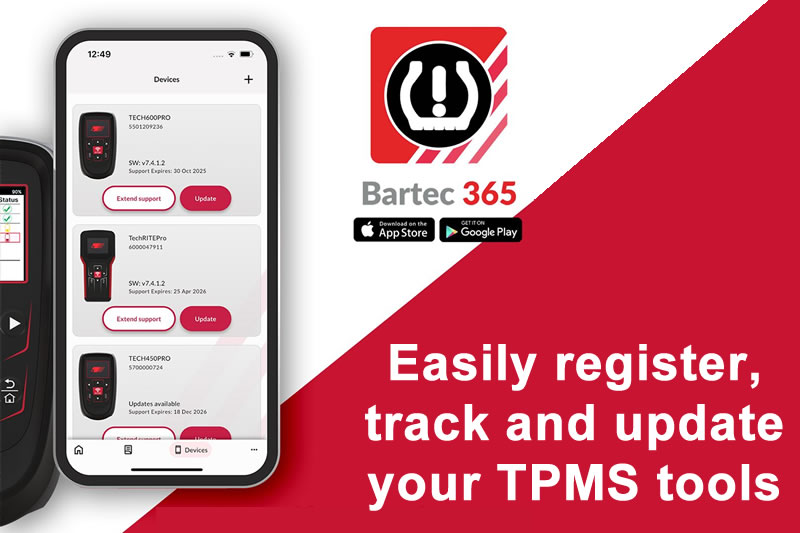
Getting started is quick and seamless:
- Turn on your Bartec Pro-series tool
- Open the Bartec365 app
- Select 'Add Deviceand follow the on-screen prompts to pair via Bluetooth® and configure your tool's Wi-Fi settings
That's it, you're connected. With the Bartec365 app, you can also:
- Track your tool’s support expiry
- Monitor your tool’s update status
- Keep everything you need, all in one place
Learn more at https://www.bartec365.com
Need help getting a Certificate Bundle? E-mail our sales team at sales@bartecusa.com, or call [855]877-9732. Need help updating your Bartec TPMS Tool? E-mail our Tech Support Team at help@bartecusa.com, or call [866]407-8767.
#Bartec365 #TPMS #TPMSTools #TPMSSensors #RiteSensor #TPMSSoftware #TPMSSupport #BartecTPMS #TheTrustedBrand
Other Articles
Bartec TPMS Release Their Latest Software 9.0
October 20, 2026
Visit Bartec TPMS At SEMA 2026 To Win Awesome Prizes
October 19, 2026
Three Weeks To Go Until SEMA 2026 & We Are Getting Closer
October 14, 2026
Discover What Is New With TPMS At The Sema Show 2026
October 13, 2026
Oktoberfest With Bartec TPMS At The SEMA Show 2026
October 12, 2026
Bartec TPMS To Highlight TPMS Diagnostics At 2026 SEMA Show
October 6, 2026
New TPMS Tool Update Technology At The SEMA Show 2026
October 5, 2026
One Month To Go Until The SEMA Show 2026
October 3, 2026
Bartec TPMS Heads to SEMA Show 2026
October 2, 2026
Take Tire Inspections To The Next Level With The Tread-Rite Tool
September 24, 2026
 Bartec USA LLC