Toyota ECU Reset Process Update
May 13, 2026
Restore OBD communication with confidence when servicing Toyota or Lexus vehicles. A Toyota or Lexus ECU can become unresponsive to OBD commands if the Tire Set button is pressed before the TPMS IDs are properly registered.
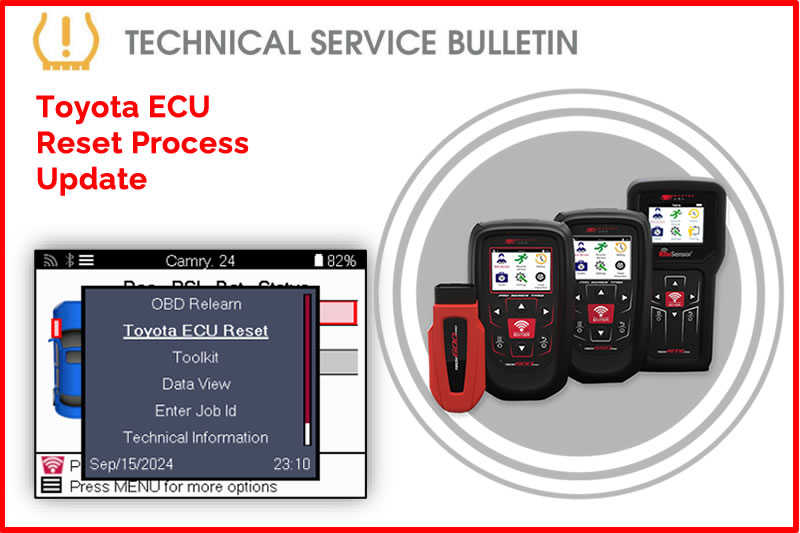
Today's Tech Tip will explain how to complete an ECU reset to restore communication and complete the service successfully.
Overview:
In some situations, a Toyota/Lexus ECU may become unresponsive to OBD commands. This may happen if the Tire Set button is pressed before the TPMS IDs are properly registered. An ECU reset may be needed to regain OBD communications.
Process:
- Inflate Tires to Placard
- Using VINdicate® or MMY Look up, select vehicle
- Navigate to Relearn > Relearn: OBD RITE-SYNC®
- Once vehicle audit screen is displayed, press the power/menu button on your tool
- Select “Toyota ECU Reset”
- Following on tool prompts, connect cable or wireless VCI to the vehicles OBDII Port
- Cycle key/push button to ignition ON Engine OFF
- Press ENTER on tool to begin ECU Reset
- Proceed with relearn if necessary
Find the Technical Service Bulletin at https://www.bartecusa.com/tpms-technical-service-bulletins.
Need help getting a Certificate Bundle? E-mail our sales team at sales@bartecusa.com, or call [855]877-9732. Need help updating your Bartec TPMS Tool? E-mail our Tech Support Team at help@bartecusa.com, or call [866]407-8767.
#ToyotaTPMS #Tech600Pro #Bartec365 #TPMS #TPMSTools #TPMSSensors #RiteSensor #TPMSSoftware #TPMSSupport #BartecTPMS #TheTrustedBrand
Other Articles
Bartec TPMS Release Their Latest Software 9.0
October 20, 2026
Visit Bartec TPMS At SEMA 2026 To Win Awesome Prizes
October 19, 2026
Three Weeks To Go Until SEMA 2026 & We Are Getting Closer
October 14, 2026
Discover What Is New With TPMS At The Sema Show 2026
October 13, 2026
Oktoberfest With Bartec TPMS At The SEMA Show 2026
October 12, 2026
Bartec TPMS To Highlight TPMS Diagnostics At 2026 SEMA Show
October 6, 2026
New TPMS Tool Update Technology At The SEMA Show 2026
October 5, 2026
One Month To Go Until The SEMA Show 2026
October 3, 2026
Bartec TPMS Heads to SEMA Show 2026
October 2, 2026
Take Tire Inspections To The Next Level With The Tread-Rite Tool
September 24, 2026
 Bartec USA LLC