TPMS ID Registration Verification GEN II
June 17, 2026
This Technical Service Bulletin provides the procedure for TPMS ID Registration Verification to resolve persistent TPMS warning lights where no pressure loss is present. A Bartec USA® TPMS Service tool can be used to compare the sensor IDs stored in the vehicle’s Electronic Control Unit (ECU) against the IDs broadcast by the currently installed TPM sensors.
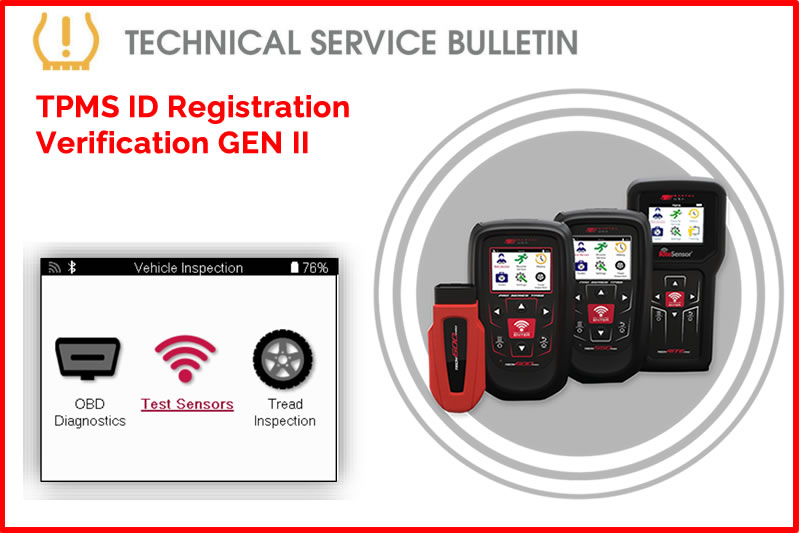
This procedure validates that the (ECU) is monitoring for the appropriate sensor IDs, allowing technicians to identify and correct data mismatches caused by tire rotations or improper previous service.
Process:
- Select New Service.
- Use VINdicate® to automatically decode the VIN or manually select using MMY Listing (Make Model Year).
- If using a GEN II Tool, select Vehicle Inspection.
- Select OBD Diagnostics - Plug OBD-II Cable into vehicle OBD-II port, power ignition on, and press Enter when ready.
- Select View Data.
- Select View Sensor IDs - Record these sensor IDs, they will be used for comparison later (IDs may be in HEX or DEC format).
- Navigate Back to Service Menu.
- If using a GEN II tool, select Vehicle Inspection.
- Select Test Sensors.
- Activate all TPM Sensors starting at the LF wheel.
- If using a GEN II tool press the power/additional menu button and select Data View.
- If using a GEN I tool, navigate to Review Vehicle Data (Page Icon).
- Select View Sensor Data.
- Navigate to Sensor ID page and record all sensor IDs. (Record both formats HEX/DEC)
- Compare sensor IDs from OBD Diagnostics to sensor IDs from Test Sensors.
Caution:
Ensure consistent formatting when performing the comparison. Apparent mismatches may occur if the diagnostic tool displays sensor IDs in Hexadecimal (HEX) while the ECU stores them in Decimal (DEC), or vice versa.
Find the Technical Service Bulletin at https://www.bartecusa.com/tpms-technical-service-bulletins.
Need help getting a Certificate Bundle? E-mail our sales team at sales@bartecusa.com, or call [855]877-9732. Need help updating your Bartec TPMS Tool? E-mail our Tech Support Team at help@bartecusa.com, or call [866]407-8767.
#Bartec365 #TPMS #TPMSTools #TPMSSensors #RiteSensor #TPMSSoftware #TPMSSupport #BartecTPMS #TheTrustedBrand
Other Articles
Bartec TPMS To Highlight TPMS Diagnostics At 2026 SEMA Show
October 6, 2026
New TPMS Tool Update Technology At The SEMA Show 2026
October 5, 2026
One Month To Go Until The SEMA Show 2026
October 3, 2026
Bartec TPMS Heads to SEMA Show 2026
October 2, 2026
Take Tire Inspections To The Next Level With The Tread-Rite Tool
September 24, 2026
Three Months Until The SEMA Show 2026 In Las Vegas
August 3, 2026
We Are Excited To Welcome Lindsay Stead To Team Bartec
July 23, 2026
Preventing TPMS Sensor Damage
July 21, 2026
TPMS Promotions for Q3 & Q4 2026
July 16, 2026
The Process For TPMS Desktop Installation
July 15, 2026
 Bartec USA LLC