TPMS Malfunction Indicator Lamp Status
April 11, 2026
Start every TPMS service with confidence by checking the TPMS MIL (Malfunction Indicator Lamp) first. Today's Tech Tip will show you how to verify the status of the MIL for service. To help you diagnose faster, work smarter, and get vehicles back on the road safely.
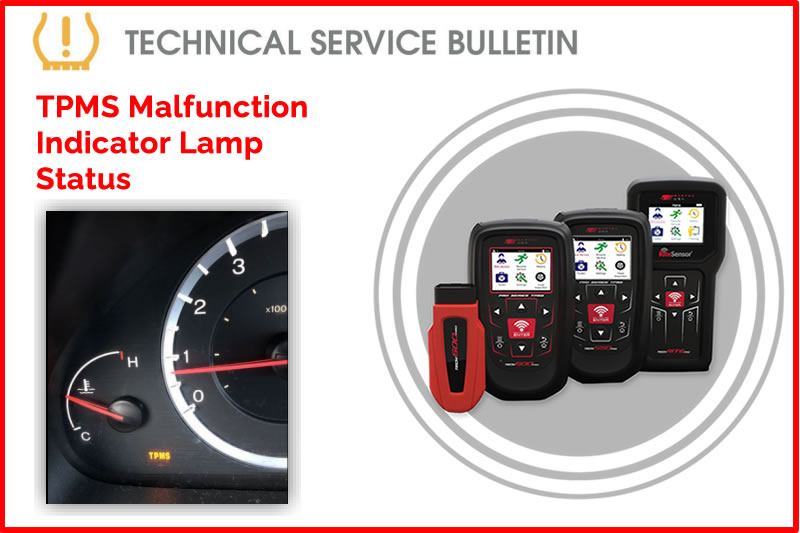
When servicing a vehicle for a TPMS-related concern, the first step is to verify the status of the TPMS MIL (Malfunction Indicator Lamp). Most vehicles use a single icon that flashes for 60-90 seconds after the ignition is powered ON to indicate a System Malfunction or remains solid to indicate Low Pressure. However, some vehicles (e.g., older Honda models) utilize separate indicators: a "Low Tire" icon for pressure issues and a "TPMS" text light for system malfunctions.
Process
- Identify the status of the MIL:
- FLASHING: (System Malfunction): (Indicates a system failure, sensor communication loss, or receiver fault)
- Using your Bartec TPMS tool, select the vehicle you are servicing (preferably via VINdicate™).
- Under the Services menu, select Vehicle Inspection > OBD Diagnostics.
- Refer to TSB GI202509-87 How to Perform an OBD Diagnostics
- Record all diagnostic trouble codes (DTCs) that are present.
- Diagnose and repair the cause of the DTCs, replacing sensors if required.
- SOLID: (Low Pressure Indicator)
- Measure and adjust all tire pressures to match the values on the vehicle’s placard.
- Use your Bartec TPMS tool to verify that all sensors are functioning and transmitting valid data.
- Complete the recommended TPMS Relearn Procedure.
- Once the above steps have been successfully completed, verify the status of the TPMS MIL once more.
- IF the LAMP is OFF, the process is complete and return the vehicle to the customer.
- IF the LAMP is ON, contact Bartec Technical Support for further assistance.
Find the Technical Service Bulletin at https://www.bartecusa.com/
Need help getting a Certificate Bundle? E-mail our sales team at sales@bartecusa.com, or call [855]877-9732. Need help updating your Bartec TPMS Tool? E-mail our Tech Support Team at help@bartecusa.com, or call [866]407-8767.
#TPMSMIL #Tech600Pro #Bartec365 #TPMS #TPMSTools #TPMSSensors #RiteSensor #TPMSSoftware #TPMSSupport #BartecTPMS #TheTrustedBrand
Other Articles
Bartec TPMS To Highlight TPMS Diagnostics At 2026 SEMA Show
October 6, 2026
New TPMS Tool Update Technology At The SEMA Show 2026
October 5, 2026
One Month To Go Until The SEMA Show 2026
October 3, 2026
Bartec TPMS Heads to SEMA Show 2026
October 2, 2026
Take Tire Inspections To The Next Level With The Tread-Rite Tool
September 24, 2026
Three Months Until The SEMA Show 2026 In Las Vegas
August 3, 2026
We Are Excited To Welcome Lindsay Stead To Team Bartec
July 23, 2026
Preventing TPMS Sensor Damage
July 21, 2026
TPMS Promotions for Q3 & Q4 2026
July 16, 2026
The Process For TPMS Desktop Installation
July 15, 2026
 Bartec USA LLC