Updating Your Bartec TPMS Tool Using The New Bartec 365 Application
April 7, 2026
Updating your Bartec TPMS Tool is the best way to maximize your investment! Today's tech tip focuses on how to register your new Bartec TPMS tool. There are two ways to register your Bartec TPMS tool, the Bartec 365 Application and Bartec’s TPMS Desktop.
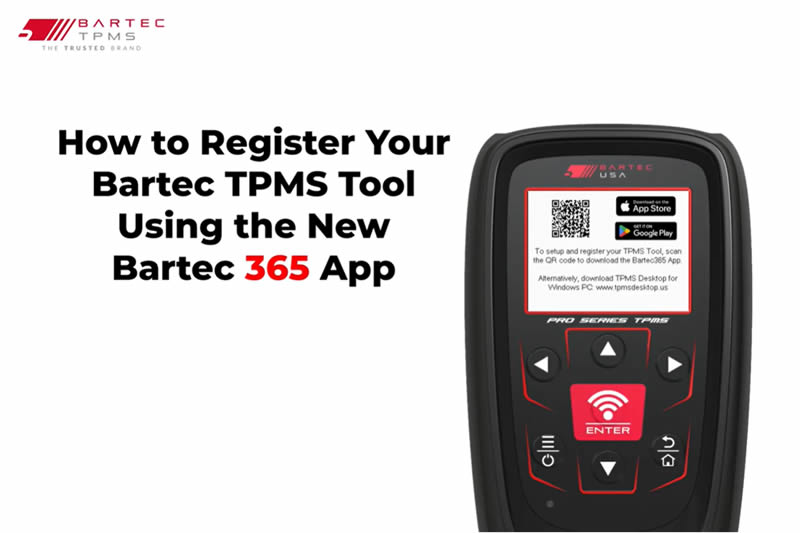
This bulletin provides instructions on how to register your new Bartec TPMS tool. There are two ways to register your Bartec TPMS tool, the Bartec 365 Application and Bartec’s TPMS Desktop.
Process Using the Bartec 365 Application
- Download the Bartec 365 Application (Available on Android and Apple Devices).
- Launch the application and sign in with your preexisting Bartec credentials or select “Sign up”.
- Once signed in, under devices, select the red plus button.
- Select the device you want to register.
- Turn on your Bartec TPMS tool, select the language, and then select “Scan for TPMS tools”.
- Within a few moments, Bartec 365 should detect your TPMS tool.
- Select your tool by Serial Number, and select the region your tool will be used in.
- NOTE: Make sure that the serial number that shows up under available devices matches the serial.
- Number associated with your Bartec tool.
- It will then prompt you to connect the tool to Wi-Fi, select your network and enter in your password.
- The option to skip Wi-Fi configuration will be listed below, Wi-Fi configuration can be done later.
- Through the tool settings or Bartec 365.
- To complete setup, your tool will need to download the latest software update. Press “OK’.
- Your tool is now registered, connected to Wi-Fi, and updated with the latest software version.
Watch The Video Here
Need help getting a Certificate Bundle? E-mail our sales team at sales@bartecusa.com, or call [855]877-9732. Need help updating your Bartec TPMS Tool? E-mail our Tech Support Team at help@bartecusa.com, or call [866]407-8767.
#ToyotaTPMS #Bartec365 #TPMS #TPMSTools #TPMSSensors #RiteSensor #TPMSSoftware #TPMSSupport #BartecTPMS #TheTrustedBrand
Other Articles
Bartec TPMS Release Their Latest Software 9.0
October 20, 2026
Visit Bartec TPMS At SEMA 2026 To Win Awesome Prizes
October 19, 2026
Three Weeks To Go Until SEMA 2026 & We Are Getting Closer
October 14, 2026
Discover What Is New With TPMS At The Sema Show 2026
October 13, 2026
Oktoberfest With Bartec TPMS At The SEMA Show 2026
October 12, 2026
Bartec TPMS To Highlight TPMS Diagnostics At 2026 SEMA Show
October 6, 2026
New TPMS Tool Update Technology At The SEMA Show 2026
October 5, 2026
One Month To Go Until The SEMA Show 2026
October 3, 2026
Bartec TPMS Heads to SEMA Show 2026
October 2, 2026
Take Tire Inspections To The Next Level With The Tread-Rite Tool
September 24, 2026
 Bartec USA LLC