Uploading Service Data To Unlock The Full Power Of Your TPMS Tool
April 29, 2026
Easily upload service data and unlock the full power of your TPMS reporting tools. Today's Weekly Tech Tip will walk users through the process of sending service data to TPMS Desktop® or Bartec 365®. Making it simple to view, manage, and print comprehensive service reports.
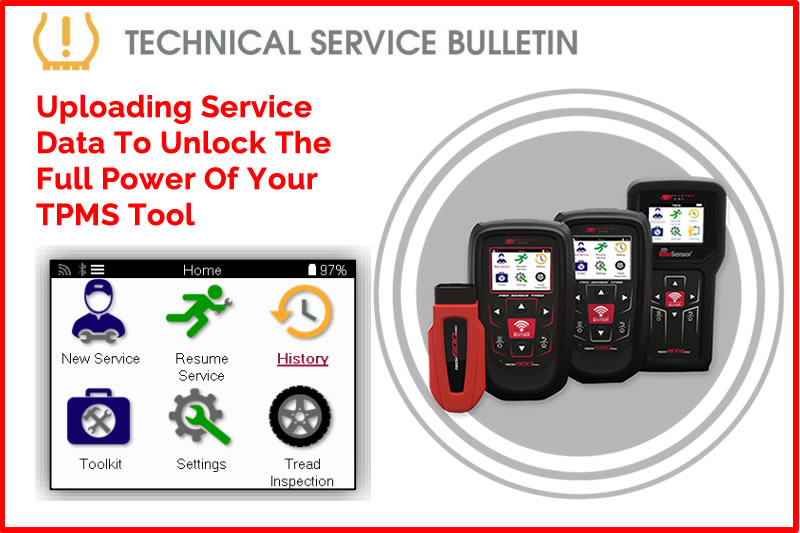
This bulletin will guide the user through the process of uploading service data to TPMS desktop® or Bartec 365® enabling them to view or print comprehensive service reports.
Process:
- Select History/Service History
- Select Upload Service Data
- Tool will begin uploading
- Tool will notify the user once service data has been successfully uploaded
Find the Technical Service Bulletin at https://www.bartecusa.com/tpms-technical-service-bulletins.
Need help getting a Certificate Bundle? E-mail our sales team at sales@bartecusa.com, or call [855]877-9732. Need help updating your Bartec TPMS Tool? E-mail our Tech Support Team at help@bartecusa.com, or call [866]407-8767.
#Tech600Pro #Bartec365 #TPMS #TPMSTools #TPMSSensors #RiteSensor #TPMSSoftware #TPMSSupport #BartecTPMS #TheTrustedBrand
Other Articles
Visit Bartec TPMS At Sema 2026 & Discover The Sens-Rite® TPMS Sensor
October 27, 2026
Just In Time For The SEMA Show 2026 Our Fall & Winter Catalog
October 26, 2026
Bartec Invites You To Discuss TPMS At The Global Tire Expo At SEMA 2026
October 25, 2026
Bartec TPMS Release Their Latest Software 9.0
October 20, 2026
Visit Bartec TPMS At SEMA 2026 To Win Awesome Prizes
October 19, 2026
Three Weeks To Go Until SEMA 2026 & We Are Getting Closer
October 14, 2026
Discover What Is New With TPMS At The Sema Show 2026
October 13, 2026
Oktoberfest With Bartec TPMS At The SEMA Show 2026
October 12, 2026
Bartec TPMS To Highlight TPMS Diagnostics At 2026 SEMA Show
October 6, 2026
New TPMS Tool Update Technology At The SEMA Show 2026
October 5, 2026
 Bartec USA LLC