Wireless VCI LED Indicator
June 3, 2026
Stay connected and service with confidence using the Tech600Pro Wireless VCI status indicator. Today's Tech Tip will help technicians understand what each LED color means, making it easy to identify power, connection status, and any potential issues at a glance for a smoother and more efficient TPMS service.
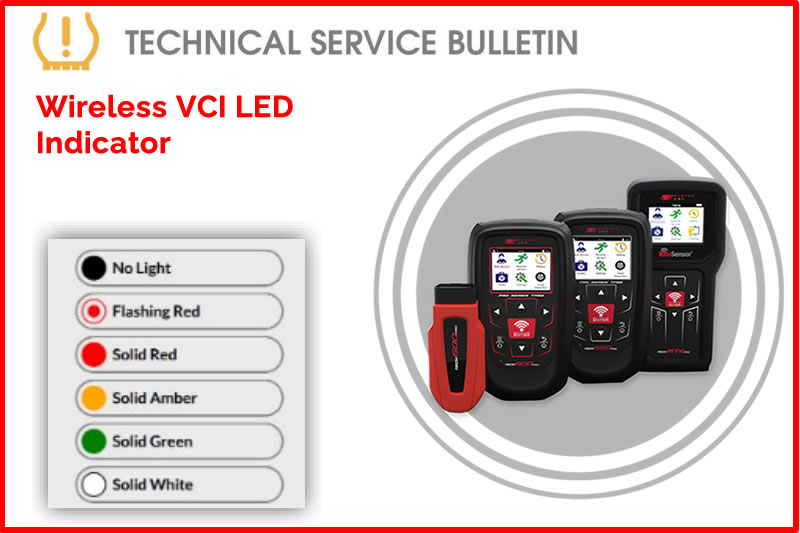
Overview:
The Wireless VCI for the 600Pro is equipped with a status indicator LED.
Description:
- No light – VCI has no power.
- Check that the VCI is securely inserted in the OBD-II port of a vehicle.
- Check that the vehicle ignition is powered on.
- Flashing red light – A malfunction has occurred.
- Turn vehicle ignition off.
- Confirm VCI is securely inserted in OBD-II port.
- Turn vehicle ignition on and wait for 5 seconds for fault to clear.
- Solid Red Light – Wireless VCI is ready to connect.
- Verify that vehicle ignition is on and you are within 15 feet of the VCI.
- Solid Amber Light- Indicates Wireless VCI is connected to a device.
- Verify you are using the correct VCI.
- Solid Green light – Indicates connection to vehicle and tool is good.
- Solid White light – Indicates connection is lost due to distance. Ensure within 15 feet range.
Find the Technical Service Bulletin at https://www.bartecusa.com/tpms-technical-service-bulletins.
Need help getting a Certificate Bundle? E-mail our sales team at sales@bartecusa.com, or call [855]877-9732. Need help updating your Bartec TPMS Tool? E-mail our Tech Support Team at help@bartecusa.com, or call [866]407-8767.
#Bartec365 #TPMS #TPMSTools #TPMSSensors #RiteSensor #TPMSSoftware #TPMSSupport #BartecTPMS #TheTrustedBrand
Other Articles
Bartec TPMS Release Their Latest Software 9.0
October 20, 2026
Visit Bartec TPMS At SEMA 2026 To Win Awesome Prizes
October 19, 2026
Three Weeks To Go Until SEMA 2026 & We Are Getting Closer
October 14, 2026
Discover What Is New With TPMS At The Sema Show 2026
October 13, 2026
Oktoberfest With Bartec TPMS At The SEMA Show 2026
October 12, 2026
Bartec TPMS To Highlight TPMS Diagnostics At 2026 SEMA Show
October 6, 2026
New TPMS Tool Update Technology At The SEMA Show 2026
October 5, 2026
One Month To Go Until The SEMA Show 2026
October 3, 2026
Bartec TPMS Heads to SEMA Show 2026
October 2, 2026
Take Tire Inspections To The Next Level With The Tread-Rite Tool
September 24, 2026
 Bartec USA LLC